
Desktop
Live Stream Game
Three mini games your TikTok and YouTube viewers play with comments, likes and gifts. Add it to OBS as a browser source, nothing to install.
$8.99
- Version
- 1.0.2
- Compatible with
- Windows 10 / 11, OBS Studio
- License
- Personal and commercial use (your own streams)
About
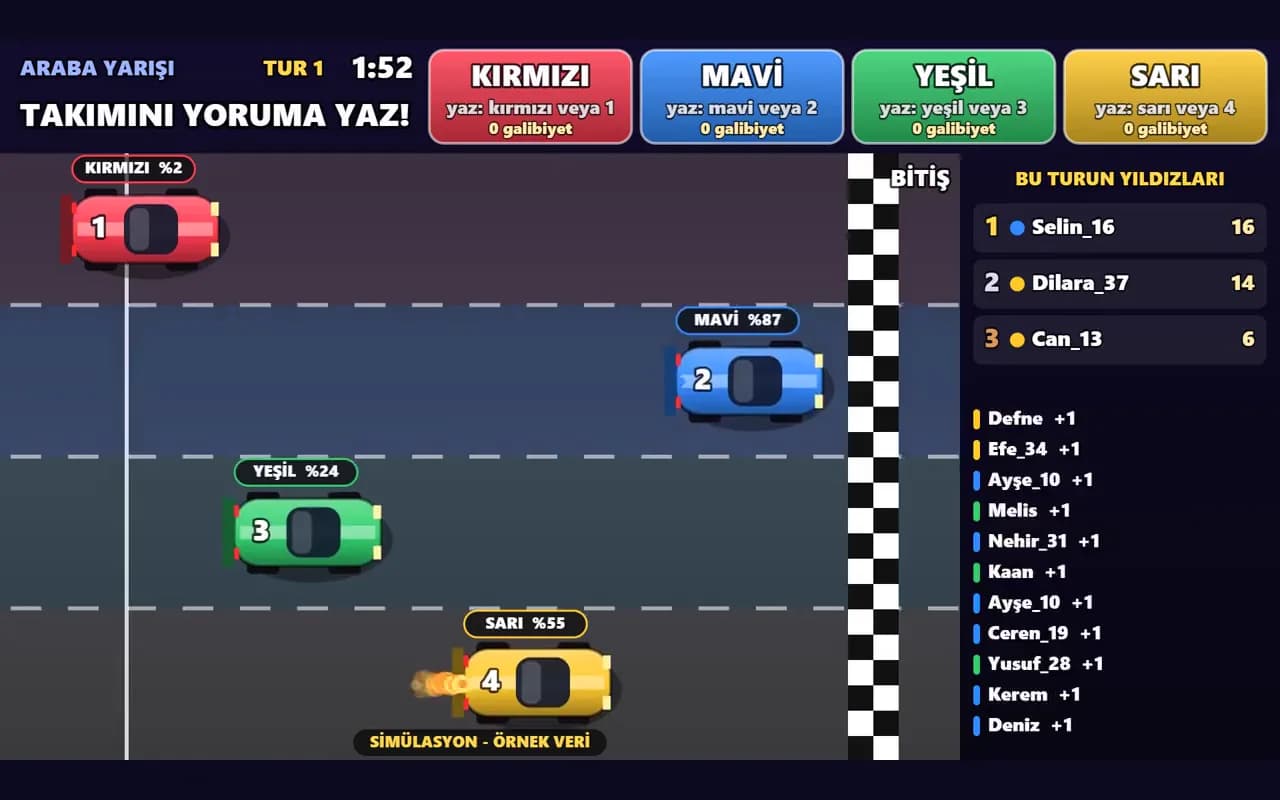
Live Stream Game brings viewers into your stream with three mini games: Car Race, Tug of War and Castle Battle. Viewers type their team's name in the chat and the team moves forward. Likes add extra points, gifts trigger a turbo or a giant soldier. When a round ends the winning team and the round's top fan appear on screen, then a new round starts on its own.
No installation: unzip it and double click. Enter your TikTok username or YouTube stream link in the panel, then add the game address to OBS as a browser source. It asks for no login, password or key; it reads the public chat and never posts to your stream.
You can try it in simulation mode before going live: fake viewers play the game and the screen says it is sample data. Change team names, colors and trigger words from the panel. Comment text is never shown on screen, only usernames and points. The interface and guide are in Turkish.
What is included
- Car Race (2-4 teams), Tug of War and Castle Battle (2 teams)
- Vertical 1080x1920 and horizontal 1920x1080 layouts
- TikTok: comments, likes and gifts
- YouTube: comments
- Simulation mode for testing without a stream
- Team name, color, keyword, target score and round length settings
- Node.js is bundled, nothing else to install
- Turkish user guide
Technical details
Requirements
- Windows 10 or 11 (64-bit)
- OBS Studio or another streaming app with a browser source
- Internet for live connection (simulation works offline)
- 150 MB free disk space
Good to know
- Lower the target score from the panel on streams with few viewers
- YouTube does not report likes and jewel gifts are not counted. Super Chat and memberships are prepared to give points but were not tested with a real payment
- The live connection uses the platforms' unofficial streaming infrastructure. If TikTok or YouTube change it, an update may be needed
- Not an official TikTok or YouTube product and not affiliated with them
- Images and video come from simulation mode; the viewers shown are sample data